02 / 04WireScreen2024Lead UX Designer4 months
The UI was killing the deal.
WireScreen had world-class data worth tens of thousands of dollars per seat. But the platform's information architecture was so misaligned with how analysts actually work that users were recommending their organizations pause on new seats. The UI wasn't just inconvenient — it was undermining the sales conversation. I restructured the product's information architecture so the data's value became self-evident, and helped close six-figure partnerships.
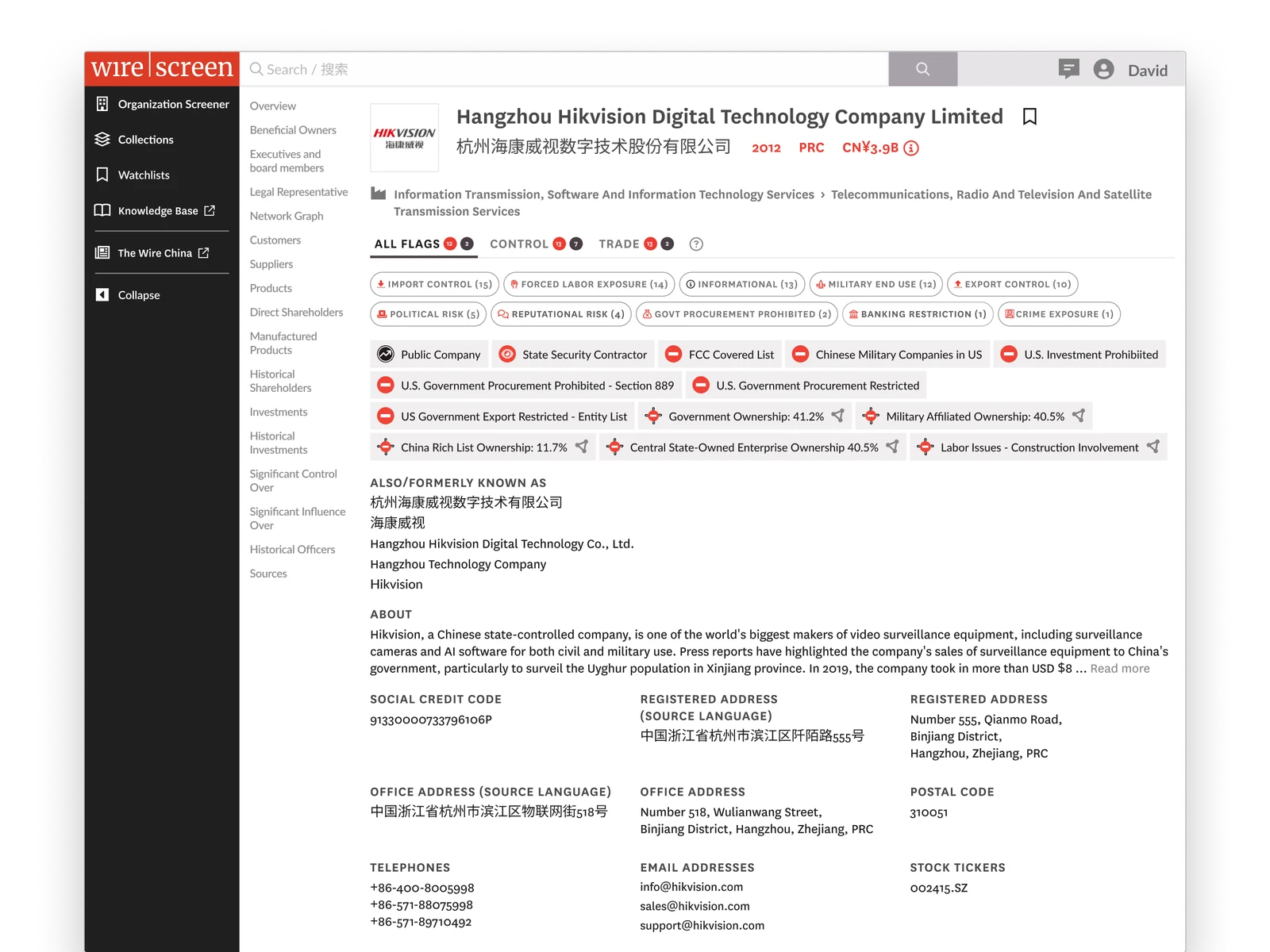
Analysts were telling their organizations they didn't need to pay for seats.
The feedback
Government analysts reported that the card-based layout was actively slowing them down. Several said they preferred working with raw data exports because the UI itself was hindering their analysis — the platform felt like an obstacle rather than a tool.
The blind spot
Analysts were missing entire datasets because they never discovered the horizontal scrolling inside the card layout. Critical information was present in the system but invisible in the experience. The data was there. The interface hid it.
The business impact
Analysts were recommending their organizations pause on additional seats until the platform matured. When your end users are telling procurement to stop buying, you don't have a UX problem. You have a revenue problem.
The page was organized around what looked good in a demo.
The data an analyst needs to verify they have the right profile was buried. Social credit codes, registered addresses, stock tickers — the identifiers an analyst opens a profile to check — sat below the fold. The page was organized around what looked good in a demo, not around the job the analyst was hiring the product to do.
Valuable data was also trapped in a format designed for browsing, not analysis. The card layout presented well in screenshots but collapsed under real use. Analysts scanning dozens of entities couldn't compare across cards, couldn't sort, and often didn't realize there was more data hiding behind a horizontal scroll.
This wasn't a UX problem.
The platform's data presentation was undermining its own value proposition. WireScreen had built a data product and wrapped it in consumer-grade chrome — cards that looked modern in a pitch deck — at the expense of the repeated, high-stakes analytical workflows that justified the price tag. The information architecture needed to be rebuilt around how analysts actually work: comparing, verifying, tracing networks across entities.
Analysts are browsing entities. Give them a visually engaging grid.
Analysts are verifying entities and tracing networks. Make the data's structure self-evident.
-
Decision 01
Kill the cards. Move to tables.
The card layout wasn't a visual preference issue — it was an information-architecture failure. Analysts reviewing ownership networks across dozens of entities need to compare, sort and scan. Cards prevent all three. Worse, the horizontal scroll inside the cards meant analysts were routinely missing data that was present in the system but invisible in the experience.
I made the call to remove the card pattern entirely and rebuild around dense, sortable tables, and I had to defend that decision against the team that had built and shipped the card system. The argument wasn't aesthetic. It was strategic: cards optimized for the demo; tables optimized for the workflow that justifies the price.
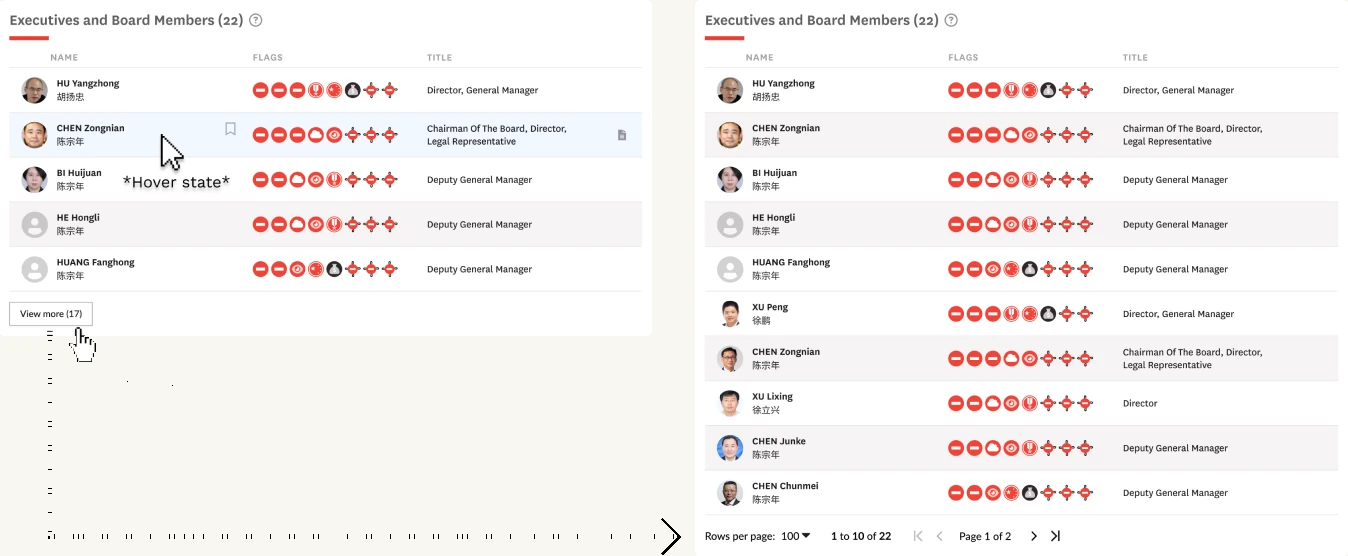
Fig. 02 · Dense, sortable tables replaced the card grid -
Decision 02
Surface what analysts open the page to find.
Social credit codes, registered addresses, stock tickers — the things an analyst opens a profile to verify — were buried at the bottom of the page. This wasn't a layout problem. It was a misunderstanding of the user's job. An analyst opening a profile is verifying an entity, not browsing it. I restructured the page hierarchy to put identifier data above the fold: a statement about who the product is for and what job they're hiring it to do.
-
Decision 03
Make the rest of the platform visible.
Features like Watchlist and Knowledge Base were hidden behind a profile menu. New users never discovered them. Demo audiences never saw them. Analysts were evaluating a single tool when the product was actually a platform, and sales was pitching breadth the UI actively concealed.
I introduced a persistent left sidebar so the broader platform was discoverable on every page. The product stopped feeling like a standalone search tool and started presenting as the platform that justified the price. Navigation as positioning.
-
Decision 04
An identity bet on investigative credibility.
I tied the visual system to David Barboza's New York Times and Pulitzer roots: newspaper-inspired typography, sharp framing, editorial density. This was the riskiest call — not because anyone objected to the direction, but because the product would look and feel fundamentally different from every competitor in corporate intelligence. It was a deliberate bet that WireScreen's moat is investigative credibility, not SaaS polish, and that the UI should signal that to a federal buyer on first impression.
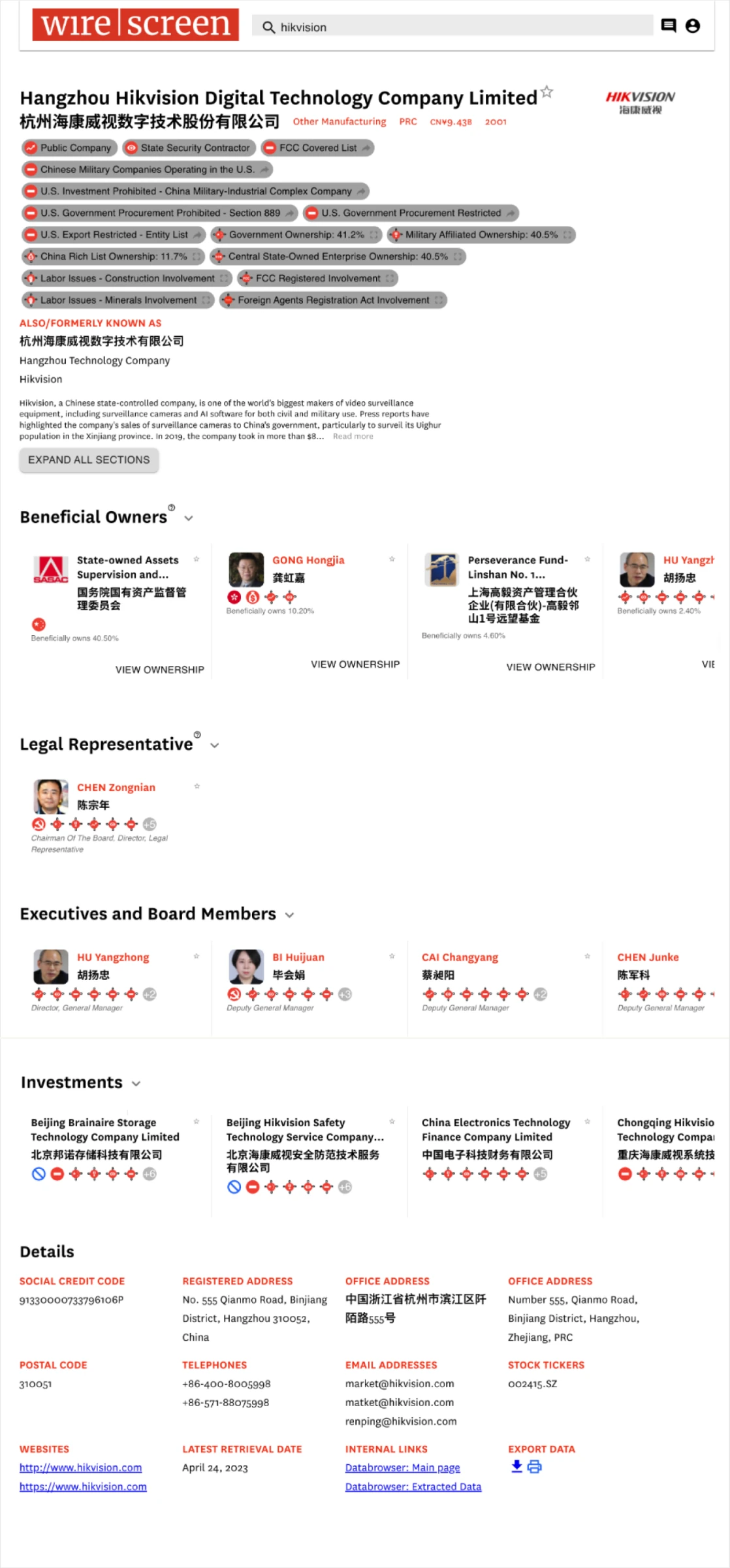
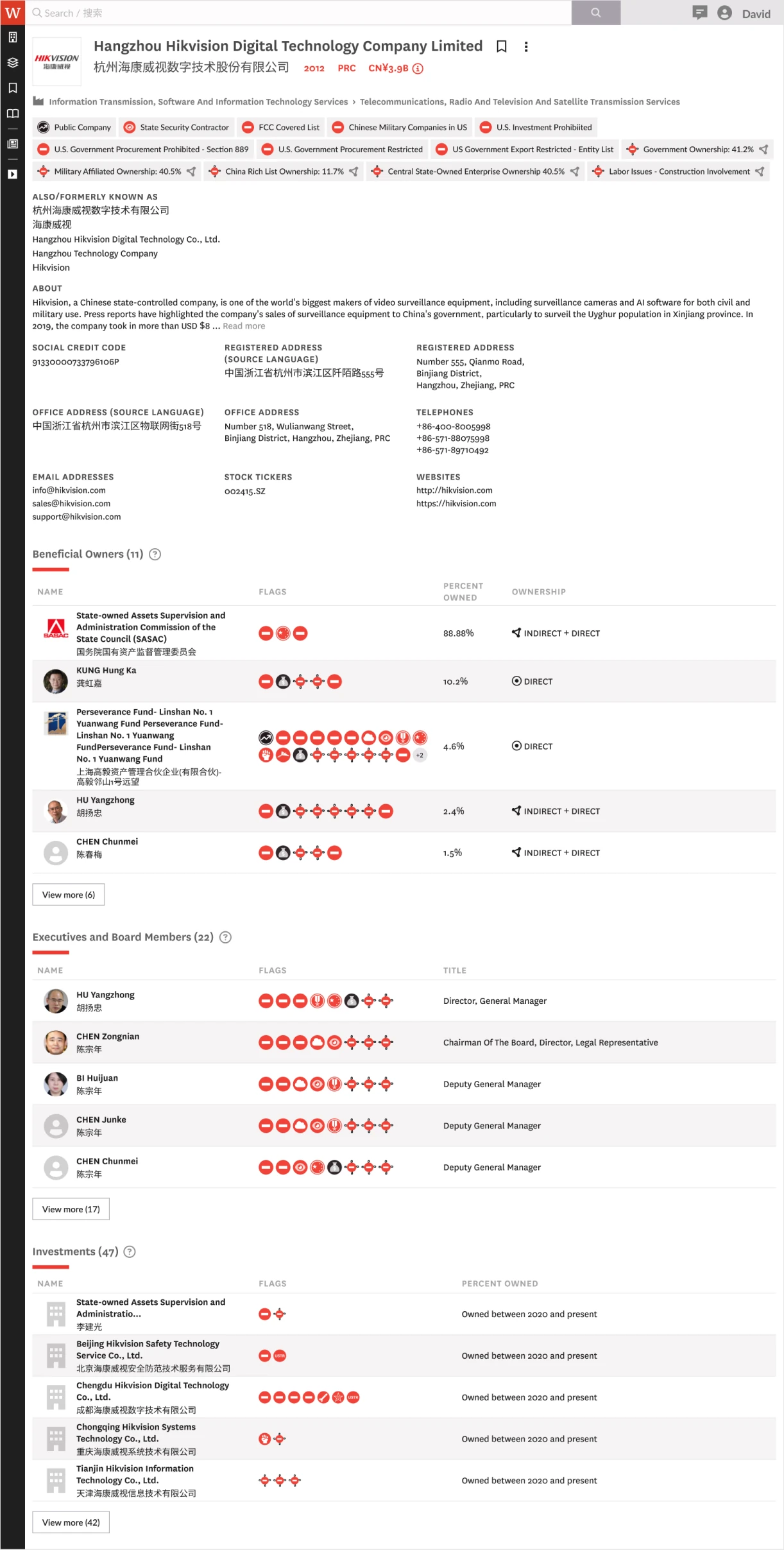
Results.
Analysts who had struggled with the platform became its strongest advocates. The product started selling itself.
6-figure partnerships unlocked
Former detractors closed six-figure partnerships with agencies the go-to-market team had limited access to.
Reversed the seat-pause recommendation
Analysts who had been advising their organizations to hold off on additional seats stopped giving that feedback after the redesign shipped.
Eliminated critical data blind spots
Horizontal-scroll data loss and below-the-fold burial were resolved. Analysts could see the full dataset without discovering hidden UI affordances.
Raised product credibility for enterprise buyers
The visual system, navigation architecture and data presentation signaled a platform maturity that matched the price point.