04 / 04Splunk2015Sole UX Designer6 months
Rebuilding an underperforming enterprise app into a platform standard.
A 300% increase in downloads and 20% fewer support calls. The redesign of the Splunk App for Microsoft Exchange turned a cost center into a sales opportunity — and its patterns spread through the organization.
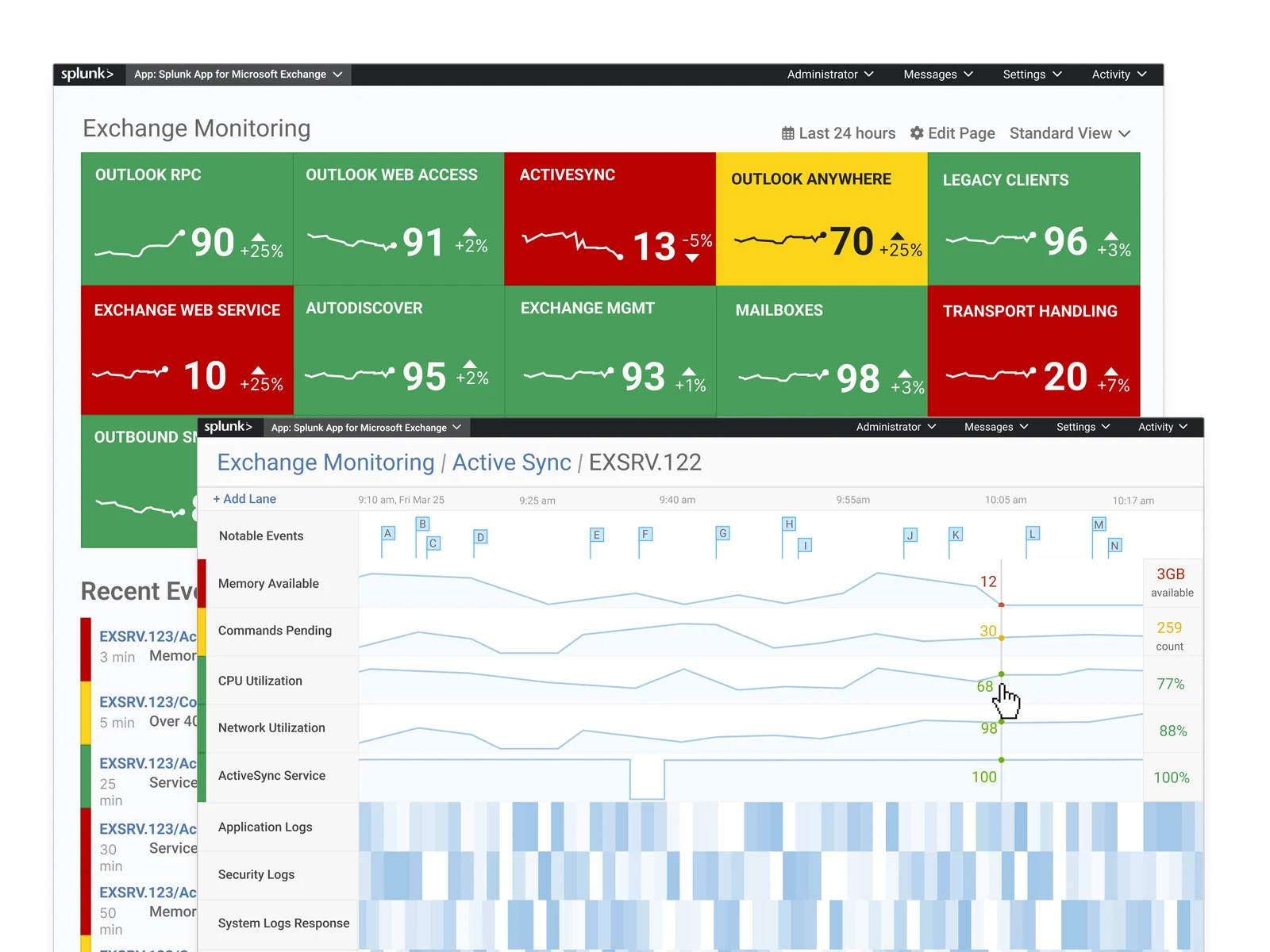
The app strategy was failing.
The problem
The Exchange app wasn't gaining adoption with IT admins, so datasets weren't being added to their Splunk instances.
The cost
Splunk's business model is straightforward: people build on the platform, and when they bring in data, Splunk charges for it.
The stakes
If no data is added, licensing doesn't increase, and the platform doesn't make money.
The original experience required navigating between dozens of individual troubleshooting tools.
Reframing the problem.
Users wanted visibility. IT admins didn't need better or more tools — that would make things worse, with even more pages to manage and navigate. They needed confidence that their environment was working, and a way to investigate when it wasn't.
The IT admin toolbox was for putting out fires.
Service monitoring: see the smoke before the fire.
-
Decision 01
One monitoring page instead of scattered tools.
I designed a single monitoring page with traffic-light KPI tiles that could zoom to fit a network-operations-center TV. Red, yellow, green at a glance, with drill-down when something needed attention. The page stopped being a troubleshooting tool and became a confidence indicator.
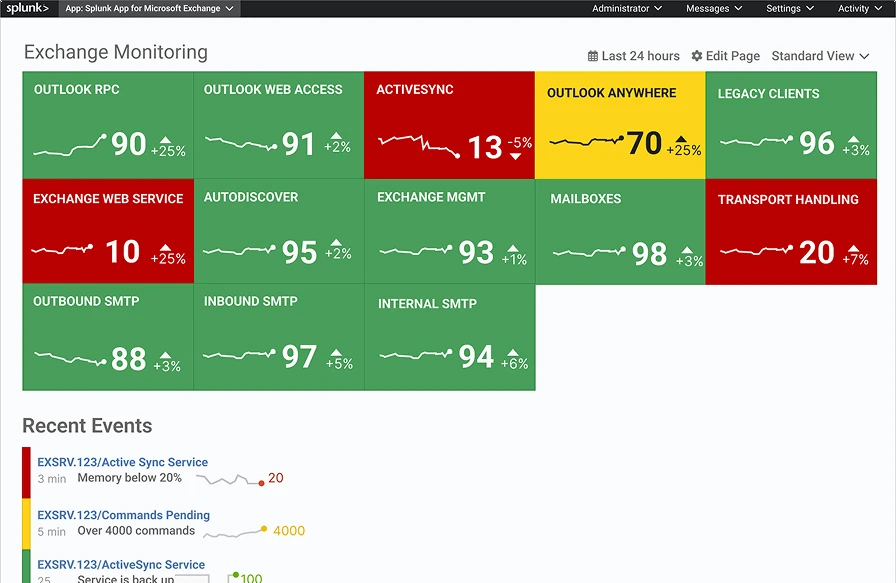
Fig. 02 · Traffic-light KPI tiles, sized for the wall -
Decision 02
Thresholds against your own baseline.
A traffic-light dashboard needs thresholds, and admins don't have best-practice ranges for every Exchange KPI memorized. I built a configuration tool that pulled in historical KPI data, so admins could set thresholds against their own baseline — not someone else's best practices.
-
Decision 03
Drill down with context.
When something went yellow or red, admins needed to get into the details. I designed KPI swim lanes that contextualize logs, letting admins scrub across time and compare metrics side by side. The drill-down turned the dashboard from a signal into a diagnostic tool.
-
Decision 04
A wizard that checks the environment first.
Early feedback showed that admins would download the app, hit a wall, and call support. I designed a setup wizard that detected prerequisites automatically and only let admins proceed once their environment was ready.
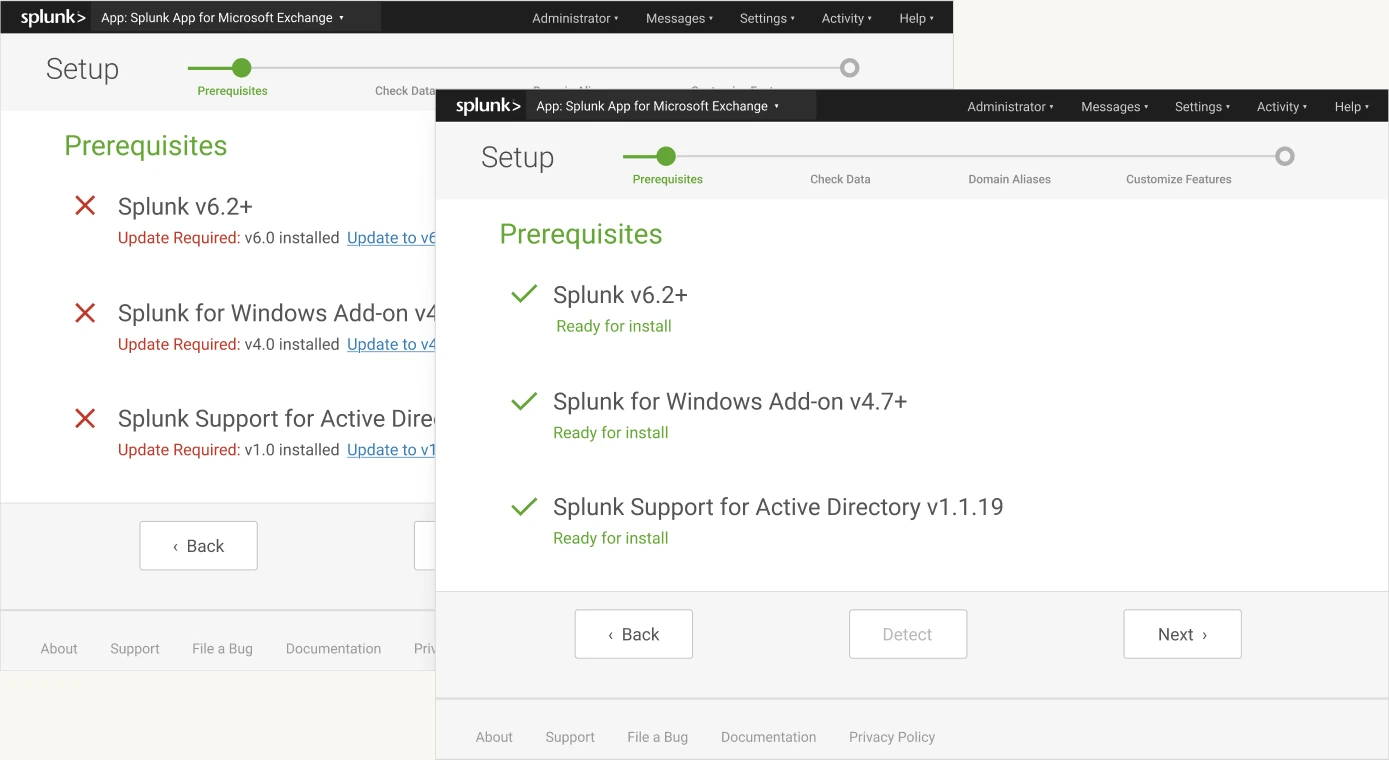
Fig. 03 · The setup wizard checks prerequisites before letting admins proceed -
Decision 05
Big-screen support.
We went on site to test early versions of the monitoring dashboard and found that when the visualization didn't fill the TV on the wall of the network operations center, it was less impactful. I added controls to zoom appropriately for the screen, so IT admins could read the full-size visual from across the room.
Results.
IT admins were using the app and getting value from it.
Fewer calls despite increased usage, traced to the setup wizard.
The monitoring patterns were adopted by Splunk's flagship IT app; the wizard and single-value tile were added to core Splunk.
The designs endured
The patterns persisted, and still show up on the company home page and product pages.
A cost center became a sales opportunity
An app that had been driving support calls started driving data into the platform.